Learn how to remove friends from Facebook to clean your list and increase engagement. A practical guide for marketers and coaches to optimize their feed.
FriendFilter scans your Facebook and shows exactly who's inactive — so you can clean up and boost your reach.
Ever feel like you’re shouting into the void on Facebook? You post something you're genuinely excited about as a business owner, and all you hear back are crickets. It’s a common frustration for marketers and coaches, but the fix is surprisingly simple: it’s time to remove inactive friends.
Cutting down your friends list might sound counterintuitive, but it’s one of the most effective ways to signal to Facebook's algorithm that your content is worth showing to more people. This simple clean-up can give your organic reach an immediate and noticeable boost, helping you connect with more of your ideal clients.
If you’re a coach or run a small business on Facebook, it’s easy to fall into the “more is better” trap. We assume a massive friends list means more eyeballs on our offers. While that makes logical sense on the surface, it’s the exact opposite of how Facebook’s algorithm actually operates.
The hard truth is that a friends list cluttered with inactive or irrelevant accounts—what I like to call "digital dead weight"—is actively sabotaging your visibility.
Here’s how it plays out for your business. When you share a new post, Facebook doesn’t show it to everyone. Instead, it tests the waters with a small, initial slice of your friends. If that first group bites—liking, commenting, and sharing—Facebook takes it as a green light to push it out to a wider audience.
But what if that first test group is full of people who haven't logged on since 2018?
Nothing. You get zero engagement. That silence sends a powerful negative signal to the algorithm, which basically concludes your content is a dud. As a result, it slams the brakes on your post’s reach, hiding it from the very people who actually want to see it—your potential customers.
We aren't just talking about a handful of old high school acquaintances. The scale of dormant and fake accounts on the platform is staggering. In Q3 2024 alone, Facebook took action on an incredible 1,100 million fake accounts.
For anyone using their personal profile for business, this means a big chunk of your audience could be made up of ghosts and bots who will never, ever engage. This is why you have to shift your mindset. Your friends list isn't a vanity metric; it’s your curated audience.
Key Takeaway: Every inactive friend on your list drags down your engagement rate. A smaller, highly engaged audience is always more valuable than a huge, silent one because it tells the algorithm to show your content to more of the right people.
Pruning your list isn't just a spring-cleaning task; it's a core business strategy. When you actively manage your connections, you start seeing real results:
This is precisely the problem tools like FriendFilter were built to solve. They help you pinpoint that digital dead weight and clear it out efficiently. If you’re curious whether Facebook handles this for you, you can read our guide on if Facebook deletes inactive accounts.
Before you start clearing out your friends list, it's crucial to understand the tools you have. For a marketer, deciding whether to unfriend, unfollow, or block someone isn't just about social niceties—it's a strategic move. The right choice affects your network, what you see in your feed, and ultimately, your organic reach.
Making the smart call here helps you declutter your digital space without accidentally burning a bridge with a valuable client or partner. Think of it this way: not every connection problem requires the nuclear option. Sometimes, you just need to turn down the volume.
This is especially true when you realize how a bloated, unmanaged friends list can directly hurt your post visibility.
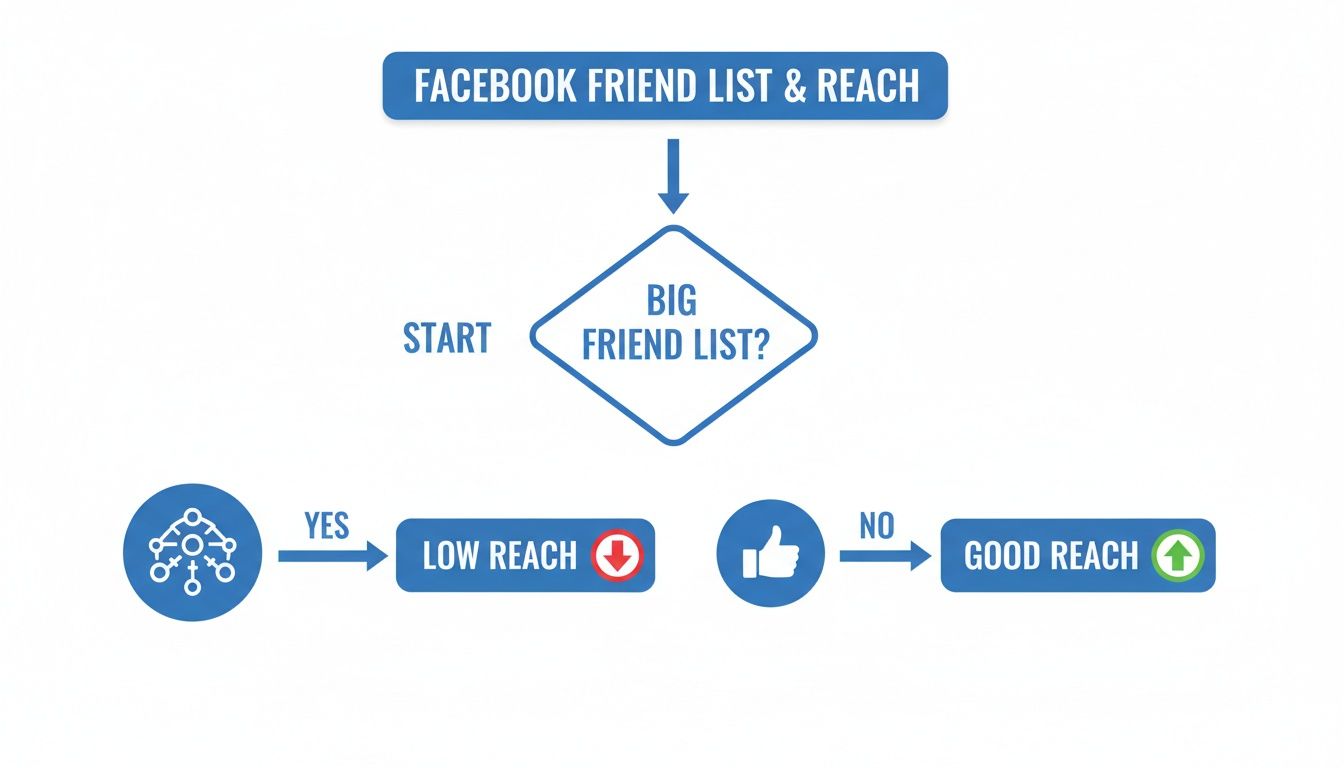
As you can see, a smaller, more engaged audience is a powerful signal to the Facebook algorithm, which can lead to much better organic reach.
Let's break down the three main options. Understanding the difference is key, as each serves a very different purpose, especially when you're using Facebook for business.
Choosing the right action protects your professional relationships while optimizing your profile's performance. It’s all about using the right tool for the right job.
Unfollowing is your most subtle move. It’s perfect for cleaning up your news feed without severing a connection. The other person won't get a notification, and you stay friends, which keeps the professional relationship intact.
Unfriending is your primary tool for curating your audience and improving your algorithm performance. This is how you remove friends from Facebook who are either totally inactive or completely outside of your target demographic. When you unfriend someone, your connection is gone—you can no longer see each other’s private content.
Expert Tip: Before you unfriend someone you only vaguely know, take 10 seconds to scan their profile. A quiet connection could still be a high-value client or a key referral partner who just prefers to observe rather than engage publicly.
Blocking is the final, non-negotiable step for your security and peace of mind. It severs all ties, completely and permanently. A person you block can't find your profile, see your content (even public posts), message you, or try to add you as a friend again.
Getting these distinctions right is foundational. And if you're looking to clean up your network on other platforms, similar principles apply. For example, you can learn how to remove unwanted followers on Twitter/X without getting suspended to apply these strategies more broadly.
Sometimes, the best way to clean up your Facebook friends list is to just roll up your sleeves and do it yourself. Manually removing friends gives you total control, letting you carefully vet each connection before making a decision. While it's definitely slower than using a tool, this hands-on approach is perfect when you need to be absolutely certain you're not removing a quiet but high-value client or a key referral partner.
Think of it as a strategic audit of your network. By going through your list one by one, you get a much clearer picture of who is actually in your audience. That insight is gold for refining your marketing message. Let’s walk through exactly how to remove friends from Facebook on your computer and your phone.

Using a desktop or laptop is easily the most straightforward way to manage your friends list. The larger screen makes everything easier to see and navigate, which is ideal if you’re setting aside a specific block of time for a network cleanup.
Here's the quickest way to do it:
And that’s all there is to it. The connection is instantly gone, and they won't get any kind of notification that you've removed them.
Cleaning up your friends list on the go is just as easy using the Facebook app. The steps are pretty much identical whether you're on an iPhone or an Android, so you can prune your network whenever you have a few spare minutes.
Here’s how it works on your phone:
This mobile-friendly method is great for quick, surgical strikes whenever you spot an inactive or irrelevant account while scrolling your feed.
Believe it or not, Facebook actually gives you a built-in tool to help identify the best candidates for removal. It's a bit buried, but it’s incredibly helpful for finding that "digital dead weight" we talked about earlier.
Pro Tip: Facebook’s "Friends" page lets you sort your connections into different categories. One of the most useful for marketers is "Least Interacted With." This list shows you everyone you’ve had zero engagement with, making them prime targets for your cleanup.
To find this handy feature:
This feature is a fantastic starting point because it uses Facebook's own data to show you who is providing the least value to your engagement. While going through your list manually can feel like a grind, focusing on these low-hanging fruit first can really speed things up. For even more ways to accelerate your cleanup, check out our guide on how to delete friends on Facebook faster.
Let's be real. Manually sifting through thousands of Facebook friends is a soul-crushing task. For busy marketers and coaches, it's a massive time sink you simply can't afford. A list of 5,000 friends could take days, if not weeks, to clean up by hand. This is where smart automation completely changes the game, turning an overwhelming chore into a manageable, strategic process.
When you’re ready to remove friends from Facebook at scale, you need a tool that works with you, not against you. That’s exactly why we built FriendFilter. It was designed to help you efficiently prune your list, boost your organic engagement, and get your time back so you can focus on what actually grows your business.

The biggest problem with a manual cleanup is figuring out who is truly inactive. Someone might never like or comment on your posts, but they could be a loyal client who reads every single thing you share. Guessing is risky and can cost you valuable connections.
Smart automation tools take the guesswork out of the equation. They analyze engagement data over a set period—say, the last 30, 60, or 90 days—to see who is actually interacting with your content. This data-driven approach lets you:
This gives you a clear, actionable list of non-engaged accounts, which is the foundation for building a healthier, more responsive network.
One of the biggest fears people have about automation is accidentally removing someone important. What if you unfriend a high-paying client, a key business partner, or a family member? It's a valid concern, and it’s why a feature like whitelisting is absolutely non-negotiable.
A whitelist is basically your "do not remove" list. It lets you tag your most important connections, ensuring the automation tool will never touch them, no matter how low their engagement is.
Think of it as creating a VIP section for your Facebook network. You can protect top clients, strategic partners, and close family, giving you complete peace of mind while the tool cleans up the rest.
Using a whitelist is a simple but powerful way to get the efficiency of automation without sacrificing your own judgment. You set the rules and protect your most valuable relationships.
The word "automation" can sound a little scary, bringing up images of aggressive bots that could get your account flagged. But modern tools are built to work within Facebook’s implicit boundaries, operating safely and intelligently. The key is to configure them to act like a real person would.
Instead of nuking hundreds of friends in an instant, a safe automation tool will:
This measured approach ensures your account stays in good standing while still delivering powerful results. It’s the difference between using a wrecking ball and a surgical scalpel. This is just one small example of the broader benefits of automating manual processes in your business.
In an age of heightened digital awareness, privacy is everything. The "Delete Facebook" movement highlighted a widespread user fatigue with bloated, untrustworthy networks. After the Cambridge Analytica scandal, a staggering 42% of users took a break from the platform, and 26% deleted the app entirely.
For marketers, this is a clear signal: uncurated friend lists erode both trust and engagement. While 74% of users adjusted their privacy settings in the last year, many still struggle with inactive lists that kill their reach.
Reputable tools like FriendFilter operate with a privacy-first mindset. They don’t scrape your data or sell your information. Instead, they act as an analytics layer on top of your account, giving you insights without compromising your security. By choosing a tool that prioritizes your privacy, you can clean your network and build a more engaged audience with total confidence.
Alright, you’ve done the hard part. You’ve cleared out the inactive accounts and the digital dead weight from your friends list. Now the real work—and honestly, the fun part—begins. Think of your clean friends list as a freshly tilled garden; it’s finally ready for intentional, healthy growth.
This is where you pivot from a defensive cleanup mode to a proactive strategy. The focus now is on building a network of ideal clients, valuable partners, and genuine brand advocates.
Remember, unfriending people isn't the ultimate goal; it’s just laying the groundwork. From this point on, every new connection you make carries so much more weight. The algorithm notices your improved engagement rate and starts showing your content to the right people, creating a powerful feedback loop that boosts your organic reach.
The days of accepting every random friend request are over. Now, you can be incredibly selective and strategic about who you let into your circle. The whole point is to find people who are actively searching for the solutions you offer.
So, where do you find them? One of the best goldmines is within targeted Facebook Groups.
This simple approach turns a cold outreach into a warm introduction, making it far more likely they’ll accept your request and actually pay attention to your content from day one.
A generic friend request is easy to ignore. We all get them. A personalized one, though? That feels like a genuine compliment and the start of a real conversation. It shows you’ve paid attention and are interested in them, not just in boosting your friend count.
Your message can be as simple as: "Hey [Name], I saw your insightful comment in the [Group Name] about [Topic]. I really resonated with what you said. I'd love to connect and follow your journey."
This tiny bit of effort makes a world of difference. It sets a positive tone for the new relationship and immediately encourages them to check out your profile, where all your valuable content is waiting for them.
The FriendFilter dashboard gives you a crystal-clear overview of how your audience is responding, helping you see just how effective these new, high-quality connections are.
This dashboard shows you exactly who is engaging with your posts, so you can see if your targeted connection strategy is really paying off.
Once a new, high-value person accepts your request, what you do next is crucial. You have a small window to "train" the Facebook algorithm to recognize this connection as important. The best way to do that is by engaging with their content immediately.
This initial flurry of interaction signals to Facebook, "Hey, this is an important relationship!" In response, the algorithm is much more likely to show your content to them—and to other people just like them.
If you want to get even more strategic about organizing your connections for maximum impact, you might want to read our guide on what is audience segmentation.
By combining a clean friends list with a smart, proactive growth strategy, you turn your Facebook profile into a powerful engine for generating leads. Your network stops being a passive list of names and becomes your single greatest marketing asset.
Even with a solid plan, a few questions are bound to pop up. That's a good thing. When you're making changes to your professional network—the very people your business relies on for reach—you want to get it right.
Let's dig into the common questions I hear from marketers, coaches, and small business owners about cleaning up their Facebook friends list and using tools to make it easier.
Nope. Facebook won't send them a notification. The connection just disappears quietly.
Of course, they could figure it out if they happen to visit your profile and see the "Add Friend" button again, or if they notice your posts have vanished from their feed. But let's be realistic: for business purposes, you're mostly removing inactive accounts. These are people who weren't seeing your content anyway, so they’re highly unlikely to notice you're gone.
Facebook is a bit secretive about exact numbers, but its systems are definitely watching for spammy, bot-like behavior. Going on a massive, rapid-fire purge of thousands of friends could absolutely get your account temporarily flagged.
My Advice: If you're doing this by hand, try to keep it under 100-200 removals a day to stay on the safe side. This is where a tool like FriendFilter really shines. It's built to mimic human behavior, pacing the unfriending process so it looks natural and doesn't trigger any alarms with Facebook's algorithm.
If you want to get into the nitty-gritty of doing this efficiently, check out this guide on how to delete friends on Facebook faster without putting your account in jeopardy.
You absolutely can... if you use a cheap, poorly built one. Shady tools that hammer Facebook's servers or scrape data are a surefire way to land your account in hot water.
However, a reputable tool like FriendFilter is a completely different story. It was designed with safety as its number one priority. It works by introducing smart delays and operating at a sensible pace, just like a real person would. As long as you stick with a trusted, well-designed tool that respects your privacy, the risk is incredibly low.
For business connections? Almost never. This isn't personal; it's a strategic move to curate your audience and boost your business's visibility.
Announcing a "friends list cleanup" can backfire, creating unnecessary drama or making people feel singled out.
This isn't a one-and-done task. Maintaining a high-quality network is an ongoing process. How often you do it really comes down to your networking pace.
Pruning your list regularly is what keeps your engagement rate healthy, which in turn tells the algorithm to show your content to more people. This kind of consistent maintenance is a core part of smart audience segmentation and is the secret to building a powerful, active network that lasts.
Ready to stop guessing and start building a network that actually drives results? FriendFilter gives you the hard data you need to clean your friends list safely, protect your key contacts, and cultivate a high-value audience that grows your business.
See what an engaged audience can do for you with a 14-day free trial of FriendFilter.
