Learn how to delete friends on Facebook faster with our guide. Discover data-driven methods, tools, and best practices to clean your list and boost engagement.

FriendFilter scans your Facebook and shows exactly who's inactive — so you can clean up and boost your reach.
Hey there, fellow coaches, marketers, and business owners! Let's talk about something that might feel like digital housekeeping but is actually a core strategy for cranking up your organic reach: cleaning up your Facebook friends list. When you remove inactive contacts, you're sending a crystal-clear signal to Facebook's algorithm: my content is engaging, and it deserves to be seen by people who actually care.

If you're using your personal profile for business, it's easy to fall into the trap of thinking a huge friends list is an asset. But the truth is, a bloated list with thousands of inactive or irrelevant contacts is actively tanking your visibility.
Think about it this way. Every single "friend" who scrolls past your post without a second glance is telling the algorithm your content isn't interesting. This feedback loop causes Facebook to bury your posts, showing them to fewer and fewer people over time. It’s like trying to give a presentation in a massive auditorium where 90% of the audience is on their phones. Your message gets lost, and the people who want to listen can't even hear you.
This problem is only getting worse. Recent data shows that searches for "how to delete Facebook" skyrocketed to 14.1 million in just six months—that’s a 40% jump from the previous year. This means more of your "friends" are likely becoming digital ghosts, making it absolutely crucial to focus your efforts on a genuinely engaged audience.
The real game-changer is shifting your mindset from quantity to quality. A smaller, highly engaged friends list translates directly into real-world business results.
Here’s what happens when you make the switch:
A lean, targeted friends list isn't a limitation; it's a strategic advantage. It transforms your Facebook profile from a passive social page into an active, high-performing marketing channel.
Learning how to delete friends on Facebook faster is more than just a cleanup chore. It's the first step toward building a powerful, supportive community that drives your business forward.
Of course, once you have that lean list, timing is everything. To really capitalize on your newfound reach, it’s also important to understand the best times and days to post on Facebook.
Before we jump into the fast lane, let’s take a quick look at the standard tools Facebook gives you. These are the built-in methods, and while they get the job done for one or two people, they weren't built for a serious friends list cleanup.
The most common way is to go directly to someone's profile. You know the drill: find their page, click that "Friends" button, and then hit "Unfriend." It's simple, but it’s also a time-killer. If you’re trying to clear out 500 inactive contacts, this one-by-one approach is a non-starter.
A slightly more organized path is to head to your own profile and click the "Friends" tab. This gives you your entire list of connections in one place. For a while, Facebook even offered a "Least Interacted With" category, which was a huge help for spotting who wasn't engaging with your posts.
Unfortunately, that feature is notoriously inconsistent and often disappears without warning. When it is available, it gives you a decent starting point, but you still have to click, confirm, and unfriend each person individually. There’s no way to select multiple people at once.
The real issue with Facebook's native tools isn't just the manual clicking—it's the complete lack of engagement data. You're left guessing who is truly inactive, which makes the whole process slow and ineffective for boosting your organic reach.
This is exactly why so many entrepreneurs and coaches just give up on managing their friends list. It feels like an endless, one-click-at-a-time task. You’re essentially flying blind, without any real metrics to tell you who to keep and who to remove.
For a closer look at these basic steps, our guide on how to unfriend a friend on Facebook breaks down the manual process in more detail. Seeing just how limited these methods are makes it clear why a smarter, data-driven solution is necessary.
Let's be honest, the manual methods are a slog. They’re slow, tedious, and based more on guesswork than actual data. This is where a smarter, more strategic approach comes into play, turning a dreaded chore into a powerful way to boost your profile's growth. Instead of randomly clicking "unfriend," you can make informed decisions based on who is actually paying attention to what you post.
This is all about working smarter, not harder. You’ll go from feeling like you're shouting into the void with a huge, silent friends list to confidently building a community of people who actually see and interact with your content.
The first real step is getting a clear picture of who is engaging with you and who isn't. A tool like FriendFilter can scan your recent posts to see who has been liking, commenting, and reacting. This isn't a guess; it's a data-backed analysis that shows you exactly who is helping your visibility and who's just taking up a spot.
Forget scrolling through thousands of names. A good dashboard will sort your entire friends list by engagement level, immediately bubbling the least active people right to the top. This simple sort reveals your "ghost followers"—the people who haven't interacted with your profile in months, or even years.
The standard, manual way of unfriending someone is a multi-click nightmare, as you can see below.
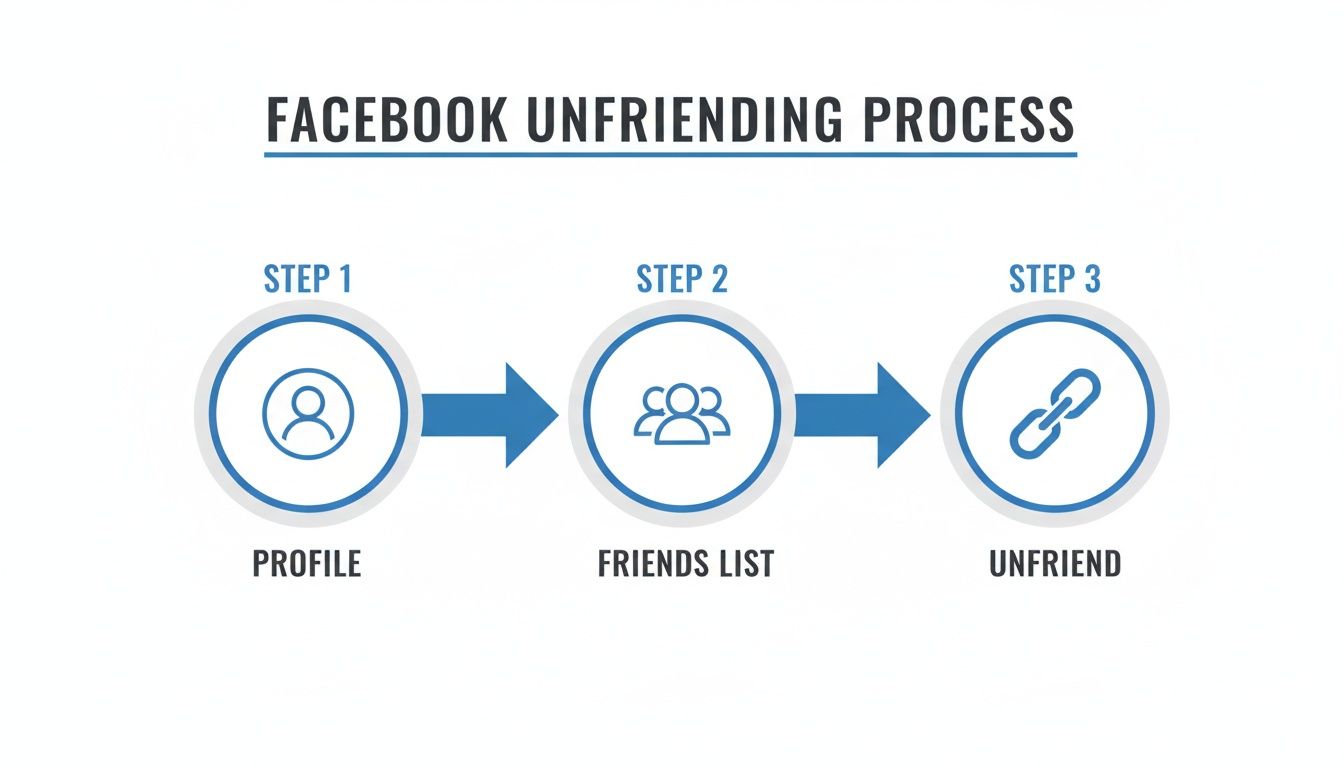
Every click in that process is time you could be spending on your business. That's why automatically identifying these inactive users is such a game-changer.
Before you remove a single person, it's absolutely crucial to protect your most important connections. Not every valuable friend is going to be smashing the 'like' button on every post. Think about high-value clients, industry partners, close family, or mentors. You definitely don't want to remove them by mistake.
This is where a Whitelist comes in. A whitelist is basically a "do not remove" list that shields specific people from any cleanup process. By adding someone to this list, you guarantee they stay connected, no matter what their recent engagement looks like.
Building this list gives you total control and peace of mind. For instance, I always add:
Protecting these core relationships first is the most important step. It lets you clean up your list with confidence, knowing you won't accidentally lose a valuable contact. This turns a potentially risky process into a safe, controlled strategy.
Once your whitelist is locked in and you've identified the inactive accounts, you can start the removal process. The key here is to do it safely and efficiently. Instead of suffering through endless manual clicks, you can automate the process to run in the background while you focus on more important things.
This is the real answer to the question of how to delete friends on Facebook faster. Instead of blocking out hours of your week for this, you can set your parameters and let a system handle the removals in a way that works with Facebook's guidelines, not against them.
This approach helps you track your progress and make adjustments on the fly, ensuring your friends list is always optimized for the best possible engagement. For anyone wanting to really dive into the nitty-gritty of sorting and identifying, you can explore the specifics of how to filter friends on Facebook with precision. By following this data-driven workflow, you reclaim your organic reach and start building a real community.

Knowing how to delete friends on Facebook faster is one thing, but doing it responsibly is what protects your account and supports real growth. If you move too quickly, you risk tripping Facebook's security alarms, which are always on the lookout for strange behavior. The goal here isn't a one-time scorched-earth purge but a sustainable way to manage your community.
Think of it like easing into a new workout routine. You wouldn't try to lift your max weight on day one. A measured, consistent approach is the only way to get the benefits of a curated friends list without putting your profile at risk.
Here's the most important rule: avoid sudden, massive changes. Facebook's algorithm is designed to spot activity that looks like a bot or a hacked account, and deleting hundreds of friends in one go is a giant red flag.
As a safe starting point, aim to remove between 50 to 100 inactive friends per day. This pace flies under the radar and looks far more natural to the platform, dramatically lowering your risk of getting a temporary block. Once you've shown a consistent pattern of moderate cleanup, you might be able to slowly increase that number. But honestly, patience is your best friend here.
The key is consistency over speed. A steady cleanup of 75 friends per day for a week is far safer and more effective than deleting 500 in a single afternoon. This approach keeps your account in good standing while you optimize your audience.
Before you touch a single contact, take a moment to back up your data. Even though you're clearing out inactive connections, having a complete record of your friends list is a smart safety net. It's saved me more than once when I've accidentally removed someone I wanted to keep.
Facebook has a built-in tool for this. You can download a full copy of your information, friends list included, right from your "Settings & Privacy" menu. Just look for "Your Information." Spending a few minutes on this backup gives you peace of mind and a reference point should you ever need it. If you need help finding the setting, our guide on managing your Facebook friends list can point you in the right direction.
Your whitelist—the list of people you absolutely do not want to remove—shouldn't be a "set it and forget it" task. This is a crucial tool for protecting your most valuable connections from getting swept up in an automated cleanup, and it needs to evolve as your network does.
Here’s how I recommend managing it:
This proactive habit transforms your cleanup from a risky chore into a precise, strategic part of your business. If you want to dive deeper into playing by the rules, it helps to understand Facebook's interaction limits.
Let's be honest, the end goal isn't just about hitting "zero" inactive friends. It's about transforming your Facebook profile into a thriving community that actually supports your business. Learning how to delete friends faster is just the first, crucial step in a much larger strategy for genuine, sustainable organic growth.
Think of a curated audience as a built-in amplifier for everything you post. When your content consistently lands in front of people who are genuinely interested, you get more likes, comments, and shares. That surge in interaction signals to Facebook's algorithm that your content is valuable, which then pushes it out to an even wider audience—all without you spending a dime on ads.
This is where things get really interesting. When you shift from having a passive audience to fostering an active community, it directly impacts your bottom line. If you're a coach, consultant, or small business owner, an engaged network translates to warmer leads and a much better return on the time you pour into creating content. You stop broadcasting to a silent, indifferent crowd and start having meaningful conversations with potential clients who already know, like, and trust you.
Recent data shows that 7.8% of Facebook users globally have already deleted or deactivated their accounts, with Millennials leading the charge at 9.2%. What does this tell us? Simply collecting contacts is a losing game because many will eventually become inactive or leave the platform altogether. Focusing on a quality, engaged list is a much smarter play for long-term success.
Imagine your cleaned-up Facebook profile as the foundation of your entire marketing engine. Once you've removed the noise and clutter, every single post you make works harder for you. This creates a powerful feedback loop: better engagement leads to better reach, which in turn fuels even more engagement.
Here’s what that looks like in the real world:
By focusing on the right people, you turn your profile from a simple social page into a dynamic hub for your business. It’s the most critical step toward building a community that not only listens but also converts.
To truly cultivate this community and manage your online presence effectively, you might consider the broader strategies available through professional social media management packages. From here, you can continue to refine your approach and build an even more effective network.
When you decide it's time for a friends list cleanup, a few questions naturally pop up. You're looking for ways to unfriend people on Facebook faster, sure, but you also want to make sure you're doing it the right way—safely and without hurting your account.
Let's walk through the three biggest concerns I hear all the time. Getting these answers straight will give you the confidence to start your cleanup project.
This is always the first question, and it's a smart one to ask. The honest answer? It completely depends on the tool you choose.
Some of the sketchy bots and scripts out there are a real risk. Anything that asks for your Facebook password or runs from a remote server is a major red flag and could get your account flagged for violating Facebook's terms. I'd stay far away from those.
On the other hand, a well-designed, browser-based extension like FriendFilter is a different story. It operates locally, right inside your own web browser, so it's more like a personal assistant than some shady third-party service. This method keeps your login info secure and works within the boundaries Facebook sets, making it a much safer way to manage your friends list.
I know it's tempting to go on a massive purge and remove thousands of inactive "friends" in one fell swoop. But from my experience, that's one of the fastest ways to trigger Facebook's security algorithms. A sudden, drastic change in your friend count looks unnatural and suspicious.
The best approach is slow and steady.
My rule of thumb is to stick to unfriending between 50 and 100 inactive contacts per day. This pace looks like normal activity to Facebook and keeps your account in good standing. Consistency is the name of the game here—a little bit of cleanup each day is far smarter than one risky, all-out blitz.
This is a huge myth, but I get why people worry about it. The truth is, cleaning up your friends list almost always increases your organic reach. It all comes down to your engagement rate.
Think about it: your reach is determined by how many people actually interact with what you post. When you get rid of hundreds (or thousands) of inactive accounts that never see or engage with your content anyway, you're not losing anything.
Here’s how the math plays out:
That much higher engagement rate tells the Facebook algorithm your content is valuable. In response, it starts showing your posts to more of the active, engaged friends you have left. Removing the dead weight is one of the best things you can do to get your content seen by the people who actually care.
Ready to get started and boost your organic reach the right way? FriendFilter provides the data to pinpoint inactive friends, the tools to protect your important connections, and a safe way to automate the cleanup.
