Struggling to understand what is engagement rate? This guide breaks down the formulas and provides actionable strategies to boost your Facebook engagement.
FriendFilter scans your Facebook and shows exactly who's inactive — so you can clean up and boost your reach.
Ever wonder if your Facebook posts are landing in a packed stadium or an empty room? Your engagement rate is the metric that tells you. Think of it as a scorecard for your social media conversations—it shows you if people are just scrolling past or if they’re genuinely connecting with what you share.
Let's cut through the noise. You could have 10,000 followers on Facebook, but if only a handful ever like, comment on, or share your posts, what good are they? For coaches, marketers, and small business owners, understanding what is engagement rate is the key to turning your Facebook presence into a real business asset.
Imagine you're at a party. Your follower count is the number of people in the room. Your engagement rate, however, is the number of people actually talking to you, laughing at your jokes, and joining the conversation. A small, lively party is always better than a massive, silent room.
Simply put, engagement is the one metric that tells you if your content is truly resonating with your audience.
Here’s a quick overview of why it’s a non-negotiable metric to track.
Ultimately, focusing on engagement is what separates a dead Facebook Page from a thriving, profitable one that fuels your business.
Focusing on engagement rate shifts your perspective from chasing vanity metrics (like follower numbers) to building a genuine community. A smaller, highly engaged audience is far more valuable because they are the ones who will:
Key Takeaway: A high engagement rate is direct proof that your content resonates with your audience. It’s the ultimate sign that you're building a healthy, thriving community, not just collecting followers.
To truly grasp what Engagement Rate Really Means, it helps to see it as a measure of connection. It's calculated by taking the total interactions on a post (likes, comments, shares) and dividing them by your total followers, then multiplying by 100 to get a percentage.
For example, a post that gets 3,400 engagements on a page with 189,364 fans achieves a 1.79% engagement rate, which is well above average for most brands. By knowing this number, you can fairly compare your performance against others, regardless of audience size. Learn more about these social media benchmarks by checking out this detailed report from Socialinsider.
Alright, let's get practical. You know engagement is important, but how do you actually measure it? Knowing the numbers is the first step to improving them. And while it might sound a bit technical, calculating your engagement rate is surprisingly simple once you know which formula to use—and more importantly, why you're using it.
There isn't a single, magic formula that works for everyone. The right one really depends on what you're trying to figure out. Let's break down the two most common methods using a real-world example. Imagine you're a coach who just posted a motivational video to your Facebook Page.
This is hands-down the most accurate way to see how compelling your content is on a post-by-post basis. It tells you the percentage of people who actually saw your post and were moved enough to interact with it.
The formula is straightforward:
(Total Engagements on a Post / Reach of that Post) x 100 = ERR %
Let's say your motivational video was seen by 1,000 people (that's its reach) and it got 100 total engagements (likes, comments, shares).
A 10% engagement rate by reach is fantastic! It shows your content really hit the mark with the audience it reached. This metric is perfect for gauging the immediate impact and potential virality of a specific post. The only catch? Reach can swing wildly from one post to the next, so it's not the most stable metric for tracking long-term community health.
This is the classic, most commonly used formula. It measures the percentage of your total followers who engaged with a post. This gives you a consistent benchmark because your follower count is a much more stable number than the fluctuating reach of individual posts.
Here's how you calculate it:
(Total Engagements on a Post / Total Followers) x 100 = ERF %
Using our video example again, let's say you have 5,000 total followers and the post received 100 engagements.
This 2% rate gives you a clear snapshot of how your content resonates with your entire potential audience. It’s a great way to track the overall health of your community over time. However, it doesn't account for viral reach—meaning if your post is seen by thousands of non-followers, this formula won't capture that success.
If you're looking for a deeper dive into these calculations, check out our complete guide on how to measure social media engagement.
So, which one is right for you? It all comes down to your goals. Are you trying to see which content formats are catching fire, or are you trying to measure the loyalty of the community you've already built?
This decision tree helps visualize the trade-off.
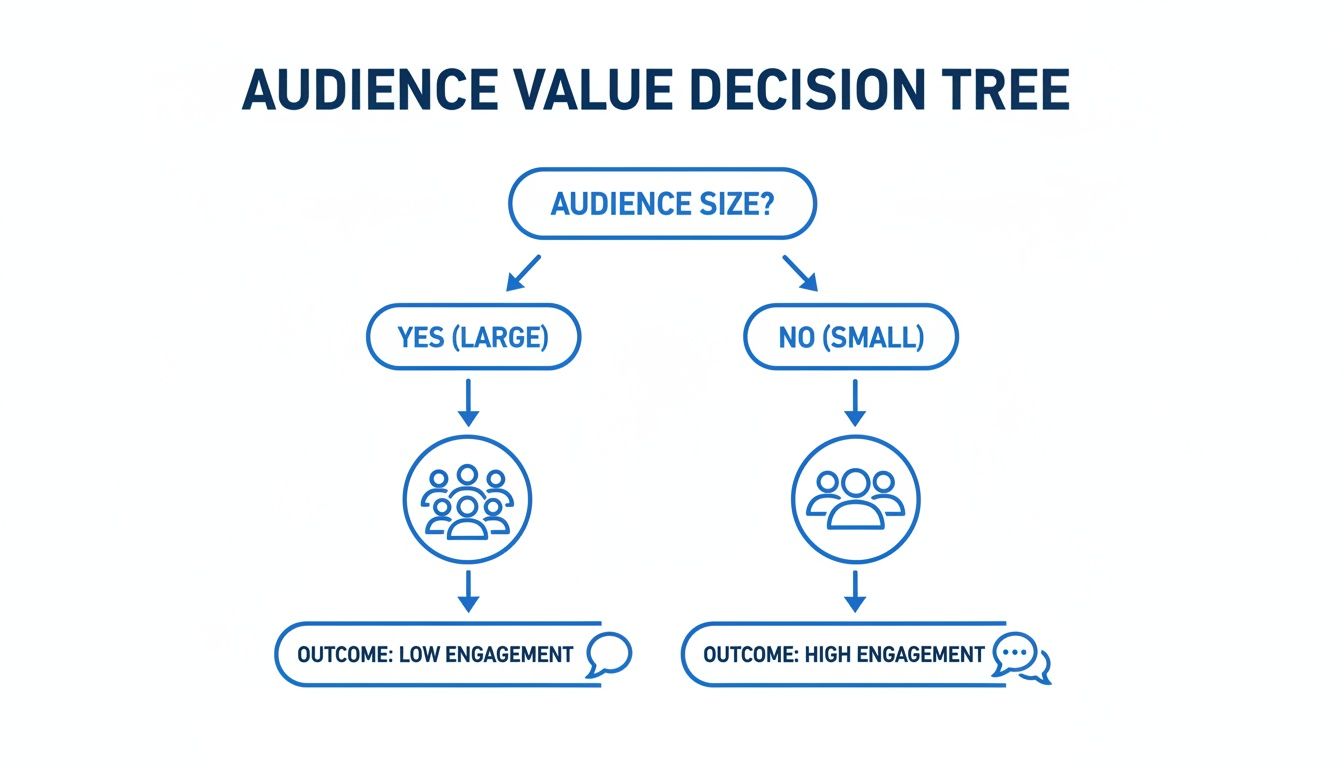
The image drives home a key point we see all the time: a smaller, more dedicated audience will almost always deliver higher, more valuable engagement than a massive, passive one.
Here’s a simple breakdown to help you decide:
The truth is, you don’t have to pick just one. Using both formulas gives you a much richer story. You get the day-to-day insights on your content's performance and the big-picture view of your community's overall health.
So, you know how to run the numbers and get an engagement rate. But what do those numbers actually mean? On Facebook, not every interaction is a home run. The algorithm sees a simple "Like" very differently than a thoughtful comment or a share. Cracking this code is the secret to creating content that Facebook's algorithm absolutely loves.
Think about it in real-world terms. A "Like" is like someone giving you a quick thumbs-up as they walk by. A comment is when they stop to chat for a minute. And a share? That’s them grabbing their friend by the arm and saying, "You have to see this!" Each action signals a deeper level of investment to Facebook.
Let's break down the main interactions, starting with the easiest and moving up to the most valuable. As a coach or small business owner, your goal should be to get people to climb this ladder.
Reactions (Likes, Love, Haha, Wow, Sad, Angry): This is the ground floor of engagement. They're the most common and require the least amount of effort. While a basic "Like" is the simplest nod of approval, the more expressive reactions like "Love" or "Haha" actually carry a little more weight. Why? Because they took an extra half-second of a user's time and thought.
Comments: Now we're talking. A comment is a huge step up because it means your content was interesting enough to make someone stop scrolling, think, and actually type out a response. This sparks a real conversation, signaling to Facebook that your post is genuinely connecting with people.
Shares: This is the gold standard. When someone shares your post, they are personally vouching for it to their entire network. This is pure word-of-mouth marketing, exploding your organic reach and putting your content in front of a whole new audience. A single share can be worth more than dozens—or even hundreds—of likes.
Key Insight: A share is the ultimate vote of confidence. It tells Facebook your content isn't just good; it's valuable enough to be passed around. This is why highly shareable content—think useful tutorials, funny memes, or inspiring stories—tends to skyrocket.
Beyond the big three, a few other interactions paint a richer picture of how your audience is connecting with what you post.
Link Clicks: If you're posting a link to your latest blog, a sales page, or an opt-in, every click is a win. This is a critical engagement metric because it shows people are moving from passively consuming your content to actively taking the next step on their journey with you.
Video Views: For videos, a "view" is just the start (and Facebook usually counts one after just a few seconds). What really matters is watch time. If people are sticking around to watch most or all of your video, it sends a massive signal to the algorithm that your content is high-quality and captivating.
Saves: The "Save" feature is a quiet but powerful indicator of value. It means your post was so useful or interesting that someone bookmarked it to come back to later. This is a tell-tale sign that you’re creating top-tier, evergreen content.
Understanding the hierarchy of these interactions is a game-changer. For a deeper dive, check out our guide offering a detailed comparison of likes, comments, and shares and their relative impact. When you start creating content that aims for these higher-value actions, you stop chasing vanity metrics and start building a genuinely connected community that will fuel your growth.
You’ve crunched the numbers and have your engagement rate sitting in front of you. Now comes the million-dollar question every coach and business owner asks: is that number actually any good?
The answer isn't a single magic number. It's all about context—your specific audience, your industry, and your goals.
Honestly, what’s considered "good" is completely relative. An engagement rate that a global brand with a million followers would kill for might be alarmingly low for a coach with a tight-knit community of 500 dedicated clients. So, you can take a breath. This isn't just a numbers game; it's a connection game.
Here’s one of the most encouraging truths about Facebook engagement: smaller, niche communities almost always have higher engagement rates than massive brand pages.
Why? It’s simple. A smaller audience is usually more focused, passionate, and personally connected to you and your message. This creates an inverse relationship—as your follower count grows, your average engagement rate per post naturally tends to dip.
This isn’t a sign of failure. It's just a natural effect of scale. When you have 500 followers, a huge chunk of them are likely your most loyal supporters. But at 50,000 followers, your audience is a mixed bag of super-fans, casual followers, and even some people who barely remember following you.
Key Takeaway: If your engagement rate seems low, your first instinct might be to blame your content. But often, the real issue isn't a content problem—it's an audience problem. Your list could be cluttered with inactive accounts that are dragging your numbers down.
So, what should you actually aim for? While every account is different, we can look at data to set some realistic targets. Recent analysis shows a clear trend: engagement rates drop as a page's follower count increases.
For example, tiny pages with under 1,000 followers can hit an impressive 8.8% median engagement rate. Once pages grow into the 5,000-10,000 follower range, that rate settles at a still-strong 4.7%. For the big players in the 100,000-500,000 follower league, the median rate is around 3.9%.
Across all page sizes, the overall median engagement rate per post is about 3.8%. However, it's worth noting that some studies report a much lower median of 0.064%, which just goes to show how much a few high-performing accounts can skew the average. You can find out more about these industry-wide engagement rates and how they stack up.
This data tells a powerful story: smart audience management is crucial for keeping your rates healthy. By regularly cleaning inactive friends, you make sure your content is reaching people who genuinely want to see it—a core strategy for boosting your engagement.
To give you a clearer picture, here’s a breakdown of what to aim for based on your follower count. This table shows the median engagement rate on Facebook, illustrating how rates naturally change with audience size.
Don't get discouraged if your numbers aren't quite there yet. Use these figures as a goalpost, not a final judgment. The most important benchmark is your own progress. If your rate is higher this month than it was last month, you're winning.
This shift in focus—from chasing vanity metrics to building a genuinely thriving community—is the real secret to sustainable growth on Facebook.
Alright, you understand what engagement rate is and how to track it. Now for the fun part—actually making those numbers climb.
Forget the generic advice you've heard a thousand times. This is a practical playbook for driving real, meaningful interactions on Facebook. For coaches, entrepreneurs, and small business owners, this isn't about chasing vanity metrics. It's about starting genuine conversations that build trust and, ultimately, grow your business.
Let’s get into some specific, actionable strategies you can use today.
One of the simplest yet most effective ways to get people talking is, well, to ask them something. The trick is to pose open-ended questions that are easy to answer and hit on your audience's interests or pain points.
Questions are a direct invitation to participate. They immediately shift your content from being a one-way broadcast to a two-way dialogue, which is precisely the kind of interaction the Facebook algorithm loves to see.
Here's how to do it right:
Polls are an absolute goldmine for generating quick engagement. People genuinely enjoy sharing their opinions, and Facebook’s built-in poll feature lets them do it with a single, satisfying click.
Not only are polls a low-effort way for your audience to engage, but they also double as priceless market research. You get a direct line into your followers' preferences, challenges, and desires without having to guess.
A few ideas to get you started:
Even with all the new features, going live on Facebook remains one of the best ways to grab attention and drive real-time interaction. Live video feels raw, personal, and urgent—making it far more compelling than a polished, pre-recorded video.
Key Insight: Facebook's algorithm gives live video a serious boost while it's broadcasting. It often sends a notification directly to your followers, giving you an immediate reach advantage and a captive audience that's ready to chat.
Live video fosters a powerful sense of community and a shared experience. Viewers can ask you questions and get answers on the spot, making them feel seen and heard. That immediate feedback loop is pure engagement gold.
Here’s a simple three-step process:
Nothing builds a loyal community faster than highlighting the people within it. When you feature a customer’s photo, a client’s glowing testimonial, or a thoughtful comment, you make that person feel incredibly valued and seen.
This kind of content, often called UGC (user-generated content), is powerful social proof. It shows potential customers that real people are using and loving what you offer. It also sparks a positive cycle where others are encouraged to share their own experiences, hoping for a chance to be featured. For a deeper dive, you can learn how to boost post engagement on Facebook with our complete guide.
How to put this into practice:
By using these specific, actionable tactics, you can transform your Facebook page from a passive megaphone into an active, thriving hub for your community.
You now have a solid playbook of strategies to get more interaction on your posts. But let's be real—putting all that into practice consistently can feel like a full-time job. This is where smart automation comes in, turning your hard-earned knowledge into efficient, repeatable action. FriendFilter is designed to help you apply these lessons with surgical precision.
Our dashboard helps you ditch the guesswork. It clearly identifies your most engaged followers and, just as importantly, shines a spotlight on those who are completely inactive. You get the clear, actionable insights you need to manage your community effectively.
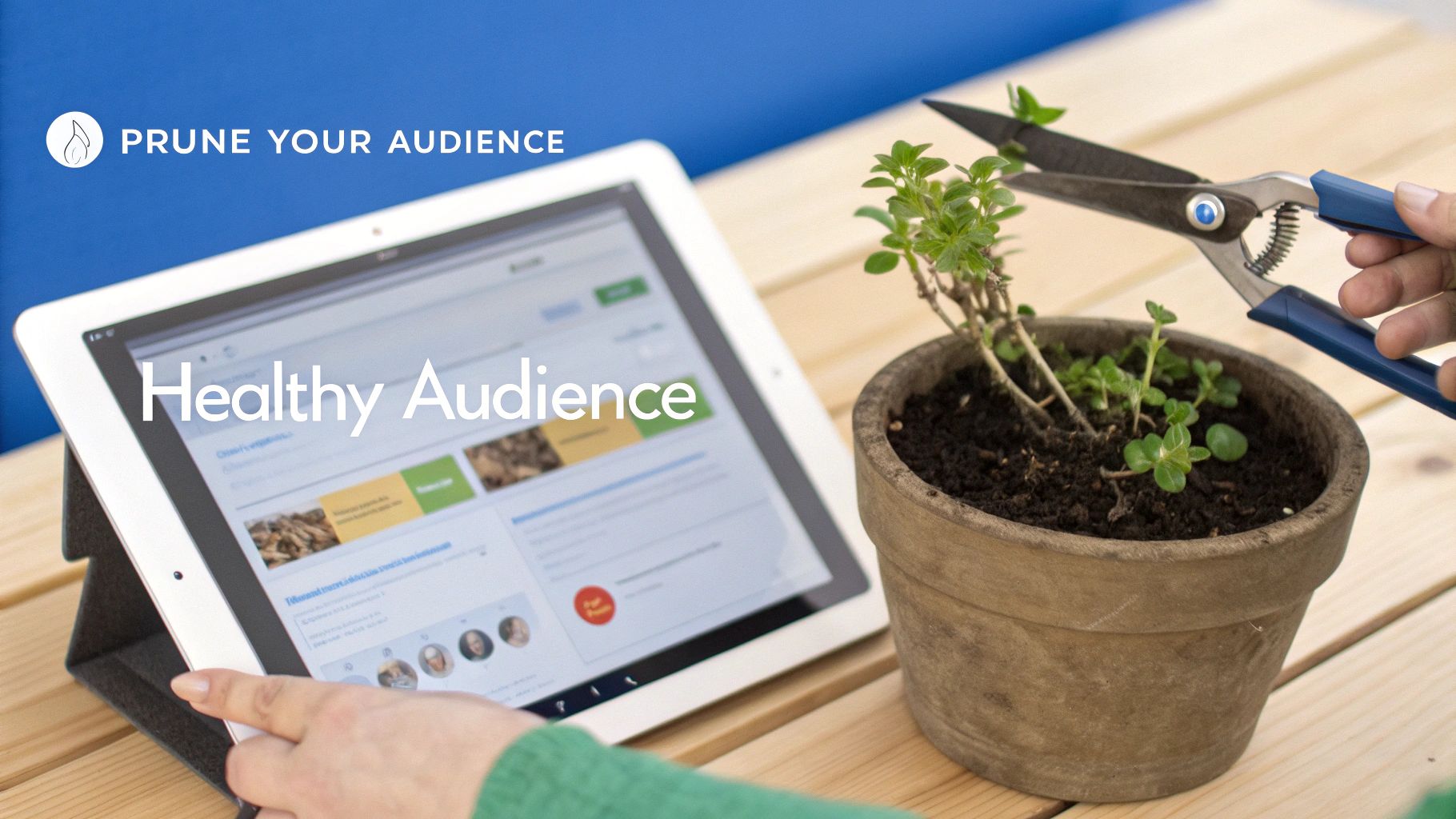
Think of your Facebook friends list like a garden. Over time, some plants will flourish while others wither. If you don't periodically prune the dead branches, they hog valuable resources—sunlight, water, and nutrients—that your healthy plants desperately need to grow.
Your Facebook audience is no different. Inactive friends, often called "ghost followers," are the dead branches. They never see your content, and their lack of interaction signals to the Facebook algorithm that your posts aren't interesting, which absolutely tanks your organic reach. By cleaning inactive friends, you ensure your content is seen by people who actually want to engage with it. The result? An immediate and powerful boost to your engagement rate.
FriendFilter automates this entire pruning process. It scans your friends list and pinpoints accounts that haven't engaged with you in months or even years, letting you remove them in just a few clicks.
Of course, not every person who isn't smashing the 'like' button should be removed. We all have close family members, important business contacts, or mentors we want to stay connected with, even if they're silent lurkers.
This is exactly what our whitelisting feature is for.
Key Takeaway: Whitelisting lets you create a "do not remove" list, protecting your most important relationships. This gives you the confidence to clean your audience at scale without the fear of accidentally severing valuable connections.
You simply mark these key people, and FriendFilter will skip right over them when suggesting who to remove. It’s the perfect blend of automated efficiency and your own personal touch.
For coaches, agency owners, and group admins, this process is non-negotiable. Inactive friends can easily make up 20-30% of an audience. Removing them instantly expands your effective reach and helps you hit the engagement rates you see from top performers. With over 120,000 users, FriendFilter tracks engagement right down to the individual friend level, automating the cleanup to help lift your rates toward that impressive 2-4% mark. You can find out more about these industry-wide engagement rates and see how you stack up.
FriendFilter isn’t just a removal tool; it’s an audience-building platform. It helps you identify your true fans—the people who consistently like, comment, and share. Armed with that knowledge, you can double down on creating the content they love, which strengthens those relationships and fosters a more vibrant community. Our guides can even show you how to increase Facebook reach organically, turning these insights into real, measurable growth.
By combining smart audience cleanup with a data-driven content strategy, you stop shouting into a void and start having meaningful conversations with the people who matter most.
Alright, you've got the formulas down and you're ready to put your plan into action. But as you start digging into the numbers, some questions are bound to pop up. Let's tackle a few of the most common ones that marketers and coaches run into.
Not always. It's a classic case of quality over quantity.
While you definitely need a consistent presence, flooding your audience's feed can backfire. People get "content fatigue," and they'll start scrolling right past your posts, which can actually drag your engagement rate down. It's much better to post one amazing, thought-provoking piece of content than five forgettable updates that get crickets.
Check your Facebook Insights to see when your audience is online and active. Then, focus on making every single post count.
This is a really common problem. It's like standing in a packed room where no one is listening to you. Your content is getting seen, it just isn't compelling enough to make anyone act.
Often, this means your content is too passive, your call-to-action isn't clear, or you're simply talking to the wrong people—an audience that just isn't interested anymore. Take a hard look at your posts that did get great engagement in the past. What did they have in common? Find that secret sauce and use it again.
This is also a huge red flag that your audience needs a clean-up. By removing inactive friends, you make sure your message is landing in front of people who actually want to hear from you.
Yes, and you absolutely should! The concept is identical.
To calculate it for a group, you'd take the (Total Reactions + Comments) on all posts within a certain timeframe, divide that by the total number of members in the group, and then multiply by 100.
This number is one of the most important health indicators for a community. It tells you if you're actually building a vibrant, connected space or just collecting a list of names. A healthy group engagement rate comes from sparking member-to-member discussions, asking great questions, and being an active moderator.
Ready to stop guessing and start growing? FriendFilter gives you the data-driven tools to identify your most engaged followers, remove inactive accounts, and systematically boost your Facebook engagement rate. Start your free 14-day trial today and see the difference a truly active audience can make. Visit us at https://friendfilter.com.
