Learn how to unfriend friends on Facebook with our strategic guide. Discover smart methods to remove inactive friends and boost your organic engagement.
FriendFilter scans your Facebook and shows exactly who's inactive — so you can clean up and boost your reach.
Hey there! If you’re a coach or business owner using Facebook, you probably know how to unfriend someone. You head to their profile, click the 'Friends' button, and hit 'Unfriend.' Simple, right? But what if I told you there's a strategic power behind that click—a power that can seriously boost your organic reach and get your message in front of the right people?
Let's dive in.

I know, it sounds a little backward. For years, we've been chasing bigger numbers, thinking more friends automatically means more exposure. But when you’re using your personal profile for business, that old logic can actively hold you back.
Here’s the deal: a bloated, disengaged friends list is slowly killing your content's visibility. It’s time to stop thinking of your friends list as a trophy and start treating it like a curated audience. When that audience is cluttered with inactive accounts, old high school acquaintances, and people who just scroll past your posts, you're basically shouting your message into an empty room.
Facebook’s algorithm is all about engagement. When you share something awesome, it doesn't just blast it out to all 5,000 of your friends. Instead, it tests the waters with a small, select group. If that initial audience loves it—liking, commenting, sharing—Facebook sees it as quality content and shows it to a wider circle.
Now, imagine that test group is full of people who haven't logged in since 2018 or couldn't care less about your coaching business. Your post gets crickets. The algorithm assumes your content is a dud and buries it, preventing it from ever reaching the prospects and clients you actually want to see it. This directly tanks your social media reach, the true number of unique people who see your posts.
By cleaning out inactive and irrelevant friends, you're making sure your content gets in front of a more receptive initial audience. That positive feedback loop tells the algorithm to amplify your message, giving you a massive organic boost. This isn't just spring cleaning; it's smart marketing.
For coaches, consultants, and entrepreneurs, this is a game-changer. A smaller, highly engaged audience will run circles around a huge, passive one every single time. The goal isn't just to be seen—it's to be seen by the right people.
Let me paint a picture for you. A business coach is gearing up for her biggest program launch of the year. She's putting out incredible, high-value content daily, but her engagement is tanking. What’s going on? Her 4,500 "friends" are mostly a mix of people from her hometown and college days who aren't her ideal clients.
Her amazing launch content is being served up to them first, instead of the hundreds of warm leads she's connected with at recent networking events. Her powerful message gets lost in the noise, and her launch falls flat.
This is an incredibly common—and costly—mistake. If she had cleaned her list to focus on industry peers, potential customers, and past clients, her results would have been night and day.
This is precisely why learning how to unfriend friends on Facebook is more than a simple social media task; it’s a critical marketing strategy. It’s about taking back control and making the algorithm work for you. For a deeper dive into strategies, check out our guide on how to manage your Facebook friend list effectively.
Before we get into the more powerful, automated strategies for cleaning up your friends list, it’s crucial to get the basics down first. Facebook gives you a few built-in ways to manually remove someone, and knowing how they work is the first step toward building a more intentional audience.
These standard methods are 100% free and don't require any special tools. They're perfect for those one-off situations, like removing a single person you met at a networking event who wasn't a good fit. But let's be honest, their biggest flaw is speed—or the total lack of it. Trying to manually prune a list of hundreds (let alone thousands) of friends is painfully slow and relies entirely on guesswork.
This is probably the most common way to do it, and the process is nearly identical whether you're on a computer or your phone. It's the best option when you have a specific person in mind.
While simple, this method forces you to remember every single person you want to remove and hunt them down individually. For a busy entrepreneur, that’s just not a scalable way to manage your network.
What if you don't know exactly who you want to remove, but you want to scan your list for possibilities? You can do that right from your own profile's Friends tab. Think of it like flipping through a digital address book, making decisions as you go.
Just head to your profile and click the "Friends" tab. You'll see everyone you’re connected to. Next to each person’s name, there's a three-dot (...) menu. Clicking it will reveal the "Unfriend" option. The problem here is that while you can see everyone in one place, you get zero context on who is actually engaging with your content. You’re still flying blind. If you want to get more organized first, learning how to categorize your Facebook friends can be a much smarter precursor to a cleanup.
Pro Tip: Before you start a massive manual cleanup, I always recommend downloading a copy of your Facebook data. You can find this under Settings & Privacy > Settings > Your Facebook Information > Download Your Information. This gives you a personal backup, just in case you remove someone by mistake and need to reconnect later.
Sometimes, you’re just scrolling your News Feed and a post pops up that makes you think, "Why are we even friends?" Facebook lets you take care of it right then and there.
When you see a post from someone you want to remove, just click the three dots (...) in the top-right corner of their post. A menu will open up with options to unfollow them, and sometimes, a direct path to unfriending them. This is more of a reactive cleanup method, but it's a convenient way to trim your list as you go about your day.
At the end of the day, these manual methods are foundational, but they’re just not efficient for a serious marketer or business owner. They lack the data you need to make smart, strategic decisions. For a deeper dive into the social etiquette and technical side of things, check out our complete guide on what happens when you unfriend someone on Facebook. Next, we’ll explore some much better alternatives.
Sometimes, hitting that "Unfriend" button feels a bit too… final. We've all been there. Maybe it’s a family member whose political posts make you cringe, a professional contact you need to keep at arm’s length, or a client whose constant updates are just plain clutter.
In these situations, completely severing the connection isn’t always the best move. Knowing when not to unfriend is just as important for a well-managed network as knowing when to pull the trigger.
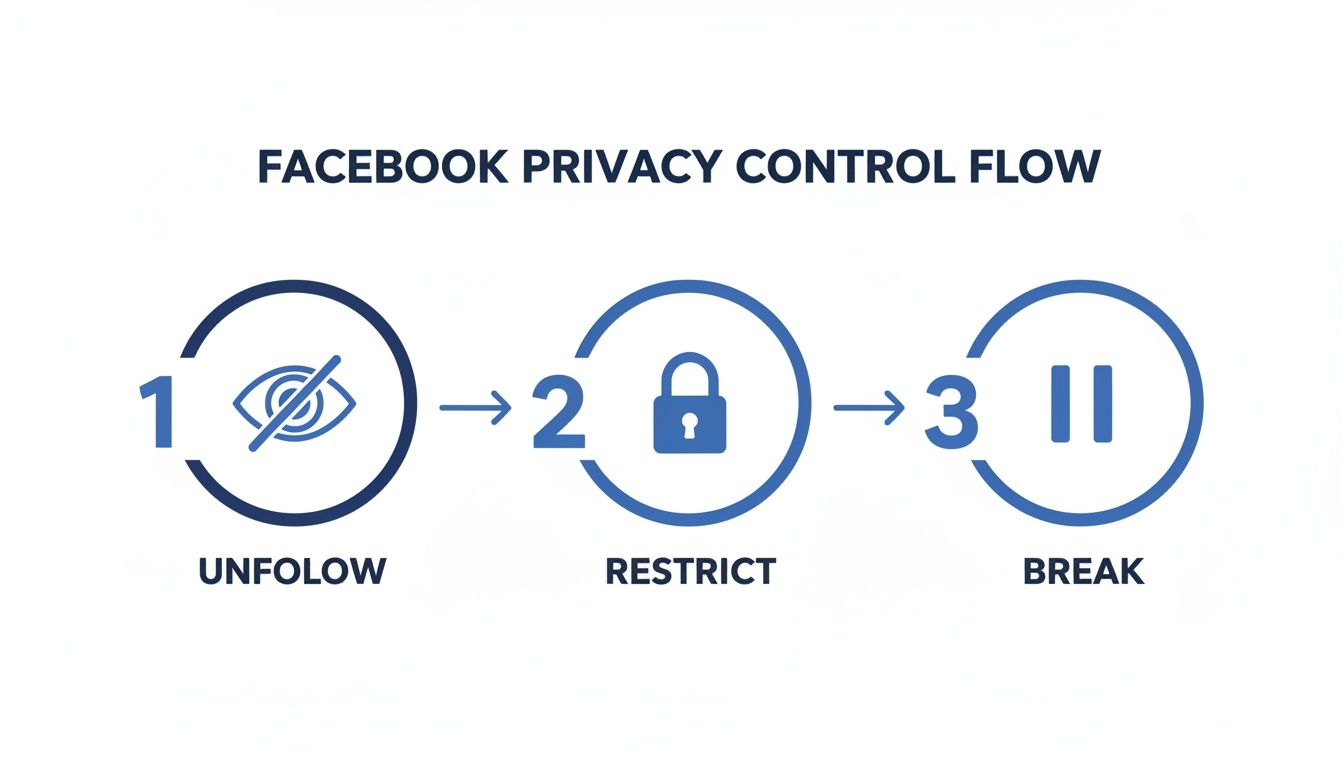
Think of it this way: instead of a simple on/off switch, Facebook gives you a set of dimmer switches. You can dial down the noise, filter what you see, and control what they see—all without burning any bridges. These tools are your secret weapons for managing social dynamics gracefully.
The Unfollow option is your go-to for simple decluttering. It’s the digital equivalent of politely stepping away from a conversation that's gotten too loud. When you unfollow someone, you stay friends, but their posts and updates vanish from your News Feed. Simple as that.
This is the perfect solution for that one friend who posts 20 times a day or the cousin who shares an endless stream of cat memes. You can still pop over to their profile anytime to see what they’re up to, and they can still see your posts (depending on your privacy settings). Best of all, they get zero notification you’ve unfollowed them, making it a clean, discreet way to reclaim your feed.
Ever just need a little distance? Facebook's Take a Break feature is designed for exactly those moments. While it's often used after a personal breakup, it’s a surprisingly powerful tool for professionals, too.
When you "Take a Break" from someone, you get a few powerful options:
This is a fantastic, completely reversible option if a business partnership sours or you need to distance yourself from a difficult client for a while.
Taking a break lets you control your digital environment without making a permanent decision. You’re in the driver’s seat, managing the connection on your terms until you decide otherwise.
The Restricted List is arguably the most underrated feature for any marketer, coach, or business owner using their personal profile professionally. When you add someone to this list, they remain your friend but can only see your public posts or posts you specifically tag them in. Everything else is hidden.
Imagine you're connected with a potential lead, a competitor, or even your boss. You want to maintain that connection, but you don't necessarily want them seeing your family vacation photos or weekend shenanigans.
This is where the Restricted List shines. It creates a clean, invisible boundary between your professional and private life. They’ll never know they're on the list; from their end, it will just look like you don’t post very often. It’s the ultimate way to manage your Facebook friend list with strategic precision.
Choosing the right option can feel tricky, so I've put together this simple table to break it down. Think of it as your cheat sheet for handling any social situation on Facebook with confidence.
Ultimately, having these tools at your disposal means you have far more control than just the binary choice of "friend" or "not a friend." You can fine-tune your connections to build a social network that truly serves you, both personally and professionally.
Let's be honest, manually scrolling through a list of 5,000 friends to decide who to remove is a nightmare. It’s slow, tedious, and you’re mostly just guessing based on who you remember seeing in your feed lately. This guesswork often means you keep inactive accounts while accidentally cutting ties with people who are quietly watching your content.
There’s a much better way. Instead of relying on memory, you can use actual engagement data—the likes, comments, and reactions that prove someone is paying attention. This shift turns a simple friend-list cleanup into a strategic move to boost your organic reach.
Think about it this way: if a "friend" hasn't interacted with your posts in months, or even years, they're essentially a ghost follower. They occupy a valuable slot on your friend list (which Facebook caps at 5,000) and drag down your engagement rate, telling the algorithm your content isn't very interesting.
This is where tools like the FriendFilter Chrome extension come into play. It does the heavy lifting for you by analyzing your account’s engagement over a specific period you set, like the last 60, 90, or 180 days. Once it's done, it gives you a simple, actionable list of every single friend who hasn't left a like, comment, or reaction in that time.
Suddenly, you're not guessing anymore. You have a clear list of verifiably inactive accounts, which lets you make precise, informed decisions.
This data-first approach immediately shows you which connections aren't helping your organic reach. It takes an overwhelming chore and makes it completely manageable.
Once you have your list of inactive friends, the automation can begin. Instead of clicking through hundreds of profiles one by one, you can get it done efficiently.
Here’s what that workflow looks like:
This process turns a task that could take days of manual clicking into something you can handle in just a fraction of the time.
The word "automation" can feel a little scary, and for good reason—using aggressive, spammy tools is a fast way to get your account flagged by Facebook. That’s why safety should be your number one priority.
A well-designed tool doesn't just work fast; it works smart by mimicking real human behavior.
A safe automation tool uses randomized, "humane" delays between each action. Instead of unfriending 100 people in 60 seconds (a huge red flag), it will space out the actions naturally. This looks just like you're doing it yourself, keeping your account secure and in good standing.
Another critical safety net is the Whitelist feature. This lets you protect important people from ever being removed by mistake.
Using a Whitelist gives you the best of both worlds: the raw efficiency of automation combined with your own nuanced judgment. You get a clean, engaged audience without ever risking your most valuable connections.
The principles for cleaning up your audience are similar across social media platforms; it always starts when you identify dead followers who aren't paying attention. For a more detailed walkthrough of safely removing friends in bulk, check out our guide on how to mass delete friends on Facebook here.
When you use data to automate your cleanup, you're doing more than just removing friends—you're making a smart business decision. You're signaling to the Facebook algorithm that your content is valuable and your audience is highly engaged, which is the most effective way to boost your organic reach.
Knowing how to unfriend people is a great start, but keeping your friends list clean isn't a "one-and-done" job. If you really want to turn your personal profile into a powerful marketing tool, you need a simple, repeatable process for curating your audience. Think of it as an ongoing strategy, not a single project.
The goal isn't to add another complicated task to your to-do list. Instead, we're going to build a sustainable workflow that maintains a highly engaged audience without overwhelming you. This consistent effort ensures your message always lands with maximum impact, which translates directly into better leads and more successful launches.
The best way I've found to stay on top of audience health is with a scheduled review. I personally recommend doing a quarterly "Friend Audit" to keep your list optimized and full of people who actually want to hear from you. It's a quick process that pays huge dividends in organic reach.
Here’s a practical checklist you can follow every 90 days using a tool like FriendFilter:
This simple, quarterly routine prevents your friends list from ever becoming bloated with disengaged accounts again. It’s a proactive approach that keeps your audience primed and ready for your content.
Pruning your list is only half the battle. A truly effective workflow also includes a strategy for actively adding targeted, high-value connections. Now that the inactive accounts are gone, you have room to connect with people who are actually your ideal clients.
This is where your marketing efforts really take off. You can start strategically adding people from industry-specific Facebook groups, attendees from virtual summits you've spoken at, or individuals who engage with your content on other platforms. Because you've already cleared out the dead weight, every new connection you make has a much higher chance of seeing your posts.
This two-part system—regularly removing the disengaged and consistently adding the aligned—transforms your personal profile. It stops being a random collection of contacts and becomes a curated ecosystem of potential clients and collaborators.
This whole approach addresses a core frustration many people have with social media. Research shows that a feeling of fake or meaningless interactions is a major reason users get fed up with platforms. In fact, 31.6% of users who leave cite this as a primary cause. You can read more about the reasons people are leaving Facebook in this study. By curating your audience, you create a space for more genuine and valuable interactions, turning your feed into a business-building tool rather than a source of frustration.
Ultimately, this sustainable workflow ties directly back to your business goals. A curated audience leads to more meaningful client interactions, higher-quality leads, and a stronger personal brand. You're not just unfriending people; you're building a foundation for consistent, organic growth. To get started, you might find our guide on how to manage your Facebook friend list a useful resource for setting up your initial system.
Even with the best tools and a solid plan, cleaning up your Facebook friends list can feel a bit... weird. It’s natural to have a few questions pop up, whether they’re about the social side of things or the technical nitty-gritty. Let’s walk through some of the most common ones I hear from marketers and business owners.
The biggest hesitation for most people? The fear of accidentally offending someone. The good news is, you can put that worry to rest.
No, absolutely not. Facebook does not send any notification when you unfriend someone. The connection just dissolves quietly in the background.
The only way they'd ever find out is if they deliberately went looking for your name on their friends list and realized you weren't there anymore. For inactive users, this is next to impossible. This privacy-first approach is a huge plus, allowing you to fine-tune your audience without creating any social awkwardness.
This discretion is essential for professionals who rely on their network. You can make smart, strategic decisions without having to explain yourself. If you want to dive deeper into the subtle changes that happen, our guide breaks down exactly what happens when you unfriend someone on Facebook.
This is the big one. Unfortunately, Facebook's built-in tools don’t give you a way to bulk-unfriend people. The platform makes you do it one by one, either by visiting each person's profile or going through your friends list manually.
This is precisely why a list of a few thousand friends feels like such a monumental task to clean up. It's a limitation that makes automation tools so indispensable—they handle the repetitive clicking for you, turning what could be days of work into a simple background task.
For this, consistency trumps frequency. For most marketers, coaches, and small business owners, a quarterly or semi-annual review is the sweet spot. This schedule keeps your audience relevant and engaged without becoming another constant chore on your to-do list.
Think of it as a regular "Friend Audit." It’s a proactive strategy that stops your list from getting cluttered with inactive accounts, which in turn helps maintain high organic reach and makes sure your best content actually gets seen.
It’s just routine maintenance for one of your most valuable marketing assets. A quick cleanup every few months keeps your organic marketing engine tuned up and running smoothly.
Yes, it is completely safe—as long as you choose the right tool. Reputable software like FriendFilter is designed with account safety as its number one priority. These tools operate by simulating natural human behavior, not by using aggressive or spammy actions that could get your account flagged.
They pull this off with a few key features:
When used correctly, these tools are a secure and powerful way to manage your audience at scale. They give you the clean, engaged friends list you need to actually grow your business.
Ready to stop guessing and start using data to clean up your friends list? FriendFilter helps you identify inactive friends and automate your cleanup safely, so you can boost your organic reach and connect with the right audience. Start your free 14-day trial today at https://friendfilter.com and see the difference an engaged audience makes.
