Tired of a cluttered inbox? Learn how to delete mass messages on Facebook using smart, time-saving methods that boost your productivity and focus.

FriendFilter scans your Facebook and shows exactly who's inactive — so you can clean up and boost your reach.
Feeling buried under an avalanche of Facebook messages? You're not alone. The simple truth is that learning how to delete mass messages on Facebook isn't just about tidying up; it's a strategic move to reclaim your focus and create space for the conversations that actually matter.

For busy marketers, coaches, and small business owners, a chaotic Messenger inbox is more than just an annoyance—it's a genuine bottleneck. Every minute you spend sifting through irrelevant group notifications, old offers, and spam is a minute you aren't spending on activities that actually grow your business.
Let me paint a picture for you. A potential high-ticket client sent you an inquiry two days ago, but it’s now buried under a mountain of automated updates and messages from inactive accounts. By the time you find it, they've already moved on to a more responsive competitor. This isn't just a hypothetical scenario; it's the daily reality for countless entrepreneurs I've worked with.
A disorganized inbox directly impacts your professional image. Delayed responses can make you appear overwhelmed or unprofessional, damaging the trust you’ve worked so hard to build with your audience.
The sheer scale of inbox overload is massive. In Q3 2025 alone, Facebook proactively removed a staggering 135 million pieces of spam content worldwide. While that's impressive, it highlights just how much junk is out there, and a lot of it still slips through into our inboxes, demanding our time and attention. You can see the full numbers in this Statista report.
But the consequences of this digital clutter go beyond just missed opportunities. It creates a constant state of low-grade stress and decision fatigue. That mental drain directly hurts your ability to:
Ultimately, taking a proactive approach to managing your inbox is non-negotiable. It's closely related to another essential task for serious marketers: cleaning out inactive friends. When your friend list is full of unengaged accounts, your inbox is far more likely to be filled with noise. To get that under control, check out our guide to properly manage your Facebook friend list.
Before you even think about browser extensions or scripts, it's worth getting to know the tools Facebook gives you right out of the box. They aren't built for a massive purge, but for targeted, small-scale cleanups, they’re your first and safest option.
First, let's get the terminology straight: archiving versus deleting. Archiving is like moving a conversation into a digital filing cabinet. It vanishes from your main inbox but hangs around in a hidden folder, just in case you need it later. Deleting, however, is the final word. When you delete a chat, it's gone from your side of the conversation for good.
If you only need to get rid of a few chats, the process is pretty simple on both your computer and your phone.
On a desktop, just hover over the conversation you want to zap, click the three-dot menu that appears, and hit "Delete chat." On the mobile app, it's just as easy: press and hold the conversation, and the delete option will pop right up.
This manual method is perfect for quick, one-off tasks. Let's say you're a coach who just finished a project. You can use the search bar to find that client's name, delete the thread in a couple of clicks, and keep your inbox focused on active conversations.
Pro Tip: Don't underestimate the search bar in Messenger. Instead of scrolling for what feels like an eternity, just type in a name or an old group chat. It turns a ten-minute hunt into a two-second task.
Before we go further, here's a quick breakdown of what you can do with Facebook's native tools, and where their limits lie.
As you can see, the theme is "one at a time." While these options give you control, they simply aren't designed for large-scale cleanup.
Here’s where you’ll hit a wall with Facebook’s own tools: there’s no way to select multiple conversations and delete them all at once. You can select a bunch of individual messages inside a chat, but you can’t tick a dozen different chat threads in your inbox and hit a single delete button.
This becomes a huge bottleneck when you’re staring down an inbox with hundreds or even thousands of dead conversations. Trying to manually delete every chat from old friends you no longer talk to would take hours of mind-numbing clicking.
For anyone serious about maintaining a clean, engaged network to boost organic reach, this manual approach is a non-starter. This is exactly why savvy marketers and business owners look for more efficient solutions.
The time you save is far better spent on activities that actually move the needle. If you're already optimizing other parts of your workflow, our list of the most useful Chrome extensions might give you some new ideas. The goal is always to work smarter, not harder—and that's especially true for tedious inbox management. Sometimes, the best inbox cleanup starts with your friends list; our guide on how to mass delete Facebook friends can show you how to tackle the problem at the source.
When Facebook’s built-in options feel like trying to empty the ocean with a teaspoon, it’s time to bring in the heavy machinery. Browser extensions are third-party tools that can automate the mind-numbing process of cleaning out your Messenger, turning hours of clicking into a simple background task. For any busy professional, this is less a convenience and more a necessity.
Instead of slogging through hundreds of old conversations one by one, a good extension handles it for you. This is how you reclaim your time and focus on what actually matters—connecting with the people who are active and engaged right now. But a word of caution: not all extensions are built the same, and picking the right one means doing a little homework to keep your account safe.
This process flow gives you a bird's-eye view of your options, from temporarily hiding conversations to wiping them for good.
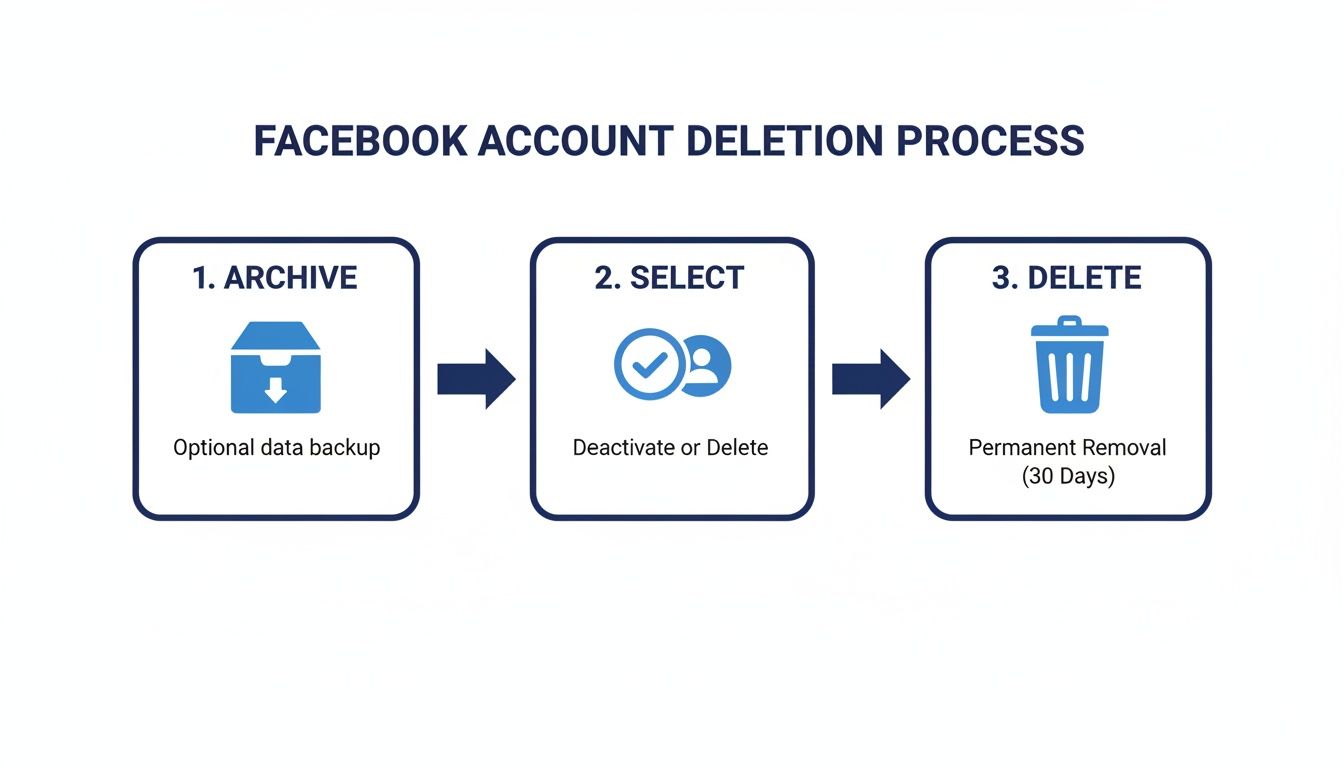
As you can see, whether you archive or delete, the standard process starts with manually picking a conversation. That’s the exact bottleneck that automation is designed to break.
Let's be clear: giving a third-party tool access to your Facebook account is serious business. Rushing this decision can open you up to privacy issues or, worse, get your account flagged by Facebook’s security systems. Don't skip the vetting process.
Here’s a quick-and-dirty checklist I run through before installing any new tool:
Finding the right tools can make a world of difference. If you're looking to streamline other parts of your workflow, our guide on the most useful Chrome extensions is packed with some of my personal favorites for boosting productivity.
Okay, so you’ve found an extension you trust. Now you need to use it smartly. Facebook’s algorithms are always on the lookout for suspicious, bot-like activity, and rapid-fire automation can easily get you flagged.
The trick is to make the automated cleanup mimic human behavior. Running a tool at maximum speed for hours is the fastest way to earn a temporary restriction on your account.
A much safer strategy is to break the job into smaller, more natural-looking sessions. For example, run the extension overnight or during other times you're not actively using Facebook. This reduces the odds of conflicts or triggering any alarms. I recommend setting the tool to delete a manageable number of messages—maybe 50 or 100 at a time—and then letting it rest.
This methodical pace ensures you can delete mass messages on Facebook efficiently without jeopardizing your account. Combine a well-vetted tool with smart, patient usage, and you’ll have a clean inbox and a healthy, active profile.
Learning how to bulk-delete Facebook messages is useful, but honestly, it’s like constantly mopping up a leak instead of just fixing the pipe. You're dealing with the symptom, not the source of the problem. More often than not, the real reason your Messenger inbox is a disaster is because of a bloated and unengaged friend list.
Think about it. Every inactive account or random person you're connected to is a potential source of spam, annoying game invites, or just digital noise. If you're a marketer or a coach, this isn't just a minor irritation—it’s a major handicap to your business.
A better way to handle this is to shift from reactive cleanup to preventative maintenance. By regularly pruning your friend list, you drastically reduce the sheer volume of low-value messages that flood your inbox. It turns a tedious chore into a smart strategy for improving your entire Facebook presence.
The link between your friend list and your inbox is direct and powerful. When you take the time to build a network of people who actually engage with you, you'll see far fewer spammy messages. But that's not all. You’ll also get a nice bump in your organic reach. Facebook's algorithm loves content that sparks interaction, so a cleaner, more active audience means your posts actually get seen by the people who matter.
This isn't just a theory; it's a numbers game. Messenger is a crowded place—we're talking nearly 979 million active users sending 100 billion messages every single day. Even with Meta zapping millions of spam accounts, a ton of unwanted junk still gets through. You can get a better sense of these wild numbers in this deep dive into Messenger statistics.
A smaller, highly engaged friend list is infinitely more valuable than a large, silent one. It leads to a cleaner inbox, higher reach, and more meaningful business conversations.
So, where do you begin? The first job is figuring out who needs to go. You’re hunting for accounts that show zero engagement with your content over a long period—no likes, no comments, nothing. These are often called "ghost friends." But let's be realistic: manually scrolling through thousands of friends to check their activity is a non-starter. That's where specialized tools come into play.
A tool like FriendFilter, for instance, was built specifically to analyze your friend list and automatically pinpoint those inactive accounts. It serves up a simple dashboard showing you exactly who is engaging and, more importantly, who isn't.
This data-first approach lets you make smart decisions, so you're only removing the connections that are actively hurting your reach.
By using a tool to find and remove these accounts, you can quickly get your news feed back under control, which naturally cleans up your inbox. If you’re ready to tackle this, our complete guide on how to mass delete Facebook friends walks you through the entire process. This one move is the most effective long-term fix for keeping your Facebook profile professional and your Messenger focused on conversations that actually matter.

Before you jump in and start wiping out messages, let’s have a quick reality check. When you learn how to delete mass messages on Facebook, you need to tattoo one fact into your brain: deletion is permanent.
Once a message or an entire conversation is gone, it’s gone forever. There is no magic "undo" button. Facebook support won't be able to recover it for you. This is why a backup isn’t just a good idea—it’s non-negotiable, especially if you use Facebook for business. Think about it: client agreements, key contact info, or even just sentimental chats could vanish in a click.
Protecting your data is easier than you think. For grabbing a few critical details from one specific conversation, a quick screenshot can do the trick. It’s fast, simple, and gives you a visual record of exactly what you need.
But for a more thorough backup, use Facebook’s own “Download Your Information” tool. This is your best friend for a large-scale cleanup. It lets you download a full copy of your account data, including all your messages. You’ll find it in your settings under "Your Facebook Information."
Be warned, this download includes everything, so the file can be quite large. Still, it’s the most surefire way to have a complete archive before you start deleting anything. If you have even a shadow of a doubt, don't skip this.
Browser extensions and scripts can be lifesavers, but picking the wrong one is like handing over the keys to your house. Using a shady or outdated tool is one of the fastest ways to compromise your account.
These risks are very real.
Always, and I mean always, stick to tools with solid reviews from reputable sources. A good strategy is to first clean inactive friends from your profile. This not only cuts down on future message clutter but can also help improve your organic reach by weeding out unengaged contacts. A little caution and a proactive approach will let you clean up your inbox safely, without putting your account or your data on the line.
When you're staring down an overflowing Facebook inbox, a few questions always pop up. It's totally normal to wonder about the safety of third-party tools or what happens once you hit that delete button. Let's clear up some of the most common concerns I hear from people trying to get their Messenger under control.
This is a tricky one. The short answer is: they can be, but you have to be incredibly careful. It really comes down to doing your homework. I'd only ever trust a tool that has a solid, long-standing reputation with a mountain of positive, detailed reviews.
Before you even think about installing one, dig into the permissions it’s asking for. If it wants access to things that seem unrelated to its job, that's a huge red flag.
My personal rule of thumb is to treat these extensions as temporary tools for a specific job. Once the big cleanup is done, uninstall it immediately. For good measure, I always recommend changing your Facebook password afterward. Better safe than sorry.
Honestly, a better long-term strategy is to be proactive. If you regularly clean up inactive friends from your list, you’ll find that your inbox clutter naturally goes way down. You might not even need a bulk deletion tool in the first place.
Let me be crystal clear on this one: no. Once you delete a message or a conversation, it's gone for good from your account. Facebook doesn't have a "trash bin" or a secret recovery feature.
This is exactly why I can't stress enough the importance of backing up your data before you start a major purge. You might have important business agreements, client contact info, or just conversations you want to keep. Take a few minutes to save what you can't bear to lose permanently.
Nope. Deleting a chat only removes it from your side of things. Everyone else in the conversation will still have the full, complete history right there in their inbox.
The only time this isn't true is when you use Facebook's "Unsend" feature on a specific message shortly after sending it. That pulls the message back for everyone. But that's a sniper rifle, not a cannon—it works message by message, not on entire threads. Understanding how to delete mass messages on Facebook is about tidying up your own digital space, not altering someone else's.
Ready to stop fighting inbox clutter at the source? FriendFilter helps you identify and remove inactive friends who are dragging down your engagement and filling your Messenger with noise. Take control of your network, boost your organic reach, and create a more valuable Facebook presence. Start your free 14-day trial today at https://friendfilter.com.
